Aug. 5, 2008

A few weeks back my friend Simon came up with the great idea of doing a game jam here in Perth. A game jam is where a bunch of people make teams and try to develop full games in a time limited situation. Similar competitions are Ludum Dare, and Pyweek. They are a lot of fun, and you tend to get lots of code and experience out of it.

This is the tenative title, and main character, from my entry into the competition:

Contact Agent - my game

Anyway, Simon built this cool community site in a matter of days using Pylons, which you can see at http://gamejam.org/ and then we put out the word on the internets, and now we are in the midst of it, with eleven days left to go. The turnout has been pretty superb and I am looking forward to seeing everyone's finished projects. The competition is very loose; you can use any engine you want and pretty much do any kind of game you want, as long as you use the 'significant asset' in your game. Also, it isn't really limited to Perth only and it only just started not long ago, so if you have a hankering to develop a game idea then this is the forum for you; go ahead and join the fray!

My own game is a vector graphics platformer. I think I'll probably get all the code done in time with a basic playable game, but I'm not so sure about getting it deployed onto all platforms. We'll see, I guess!

We'll almost certainly do more game jams in future months. Can't wait.

July 5, 2008

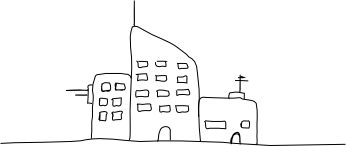
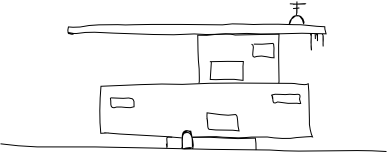
Futuristic Building #1

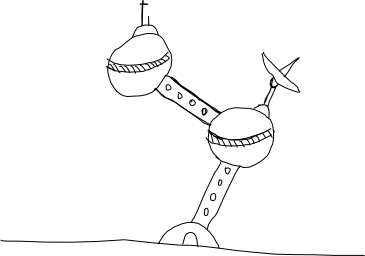
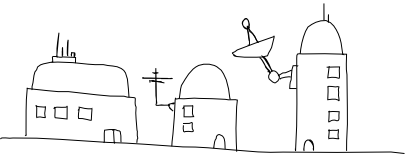
I recently bought a 'digital notepad'. It's a device that looks kind of like a clipboard, and you can clip regular paper notepads into. When you draw on the paper with a special pen, your pen strokes are digitally recorded. Later you can hook the thing up to a computer to copy the vectorised notes across and get your hand-drawings in a nice flexible vector format.
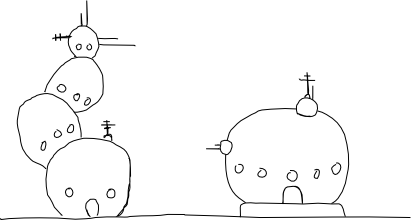
Futuristic Building #2

This one is made by a company called Laser here in Australia but pretty much every digital notepad on the market is made by one taiwanese company, Waltop, who sell them to other companies for rebranding. The device runs fine under Debian in both USB disk mode, and tablet mode. Here is a link to a blog post with a heap of information about the digital notepad and running it under GNU/Linux (there is lots of info in the comments too):

http://eddie.niese.net/20071129/new-digital-notepad-gadget/
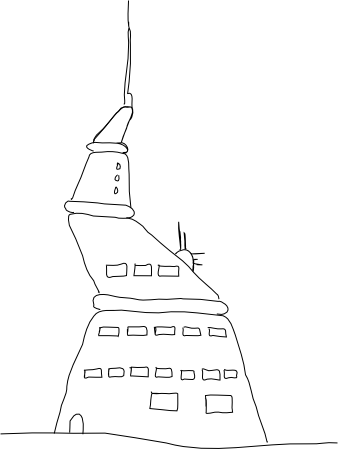
Futuristic Building #3

Modes

The notepad operates in two distinct modes. The first mode is as a regular notepad that internally digitises everything that you write in ink while it's not connected to your computer. This is reasonably effective although I have found that very occasionally, maybe one to three times per page, the pen will miss a stroke. I think this is due to the angle I write on, or not pressing the pen down hard enough when I do a light stroke. For what I am using the notepad for it's no problem since I import the notes as SVG files and then modify them in tablet mode later. I use a small Python script by Jorik Blaas to turn the notes from the .top file format they are stored as, to svg format. You can copy the .top files from the device to your computer when it's connected via the USB cable. Click here to download the Python script (I got it from the URL listed above).

Futuristic Building #4

Which brings me to the other mode; tablet mode. When the notepad is connected via USB to a computer it acts like a USB disk that you can copy notes off, but it simultaneously makes the notepad behave like a primitive graphics tablet. I say primitive because it has no pressure sensitivity, and it really just emulates a mouse - as you move the pen about on the surface, the mouse cursor follows. When you press the pen down, the mouse clicks. So far this has been fine for the little sketches I've been making.
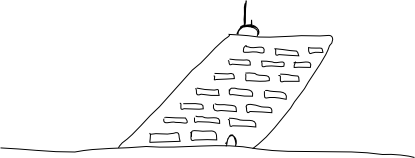
Futuristic Building #5

Other stuff

The box also came with a black portfolio to carry the notepad around in, a USB cable, batteries, replacement ink cartridges, a plastic tipped cartridge for tablet mode, and a bunch of Windows software that I did not use. The whole package cost me about $160(AU) plus twenty five bucks or so postage.
Futuristic Building #6

I am pretty excited about this device and it's been fun playing with it over the last week or so. One of the difficult things about being a solo indie games programmer is not having graphics for your games. I have always found the hand-drawn aesthetic quite endearing in video games so I might have a shot at sketching some characters and backgrounds.
Futuristic Building #7

I have a bunch of other ideas for applications using tablet/touchscreen, so hopefully I'll get around to coding up some of those. Exciting times!
Futuristic Building #8

June 11, 2008

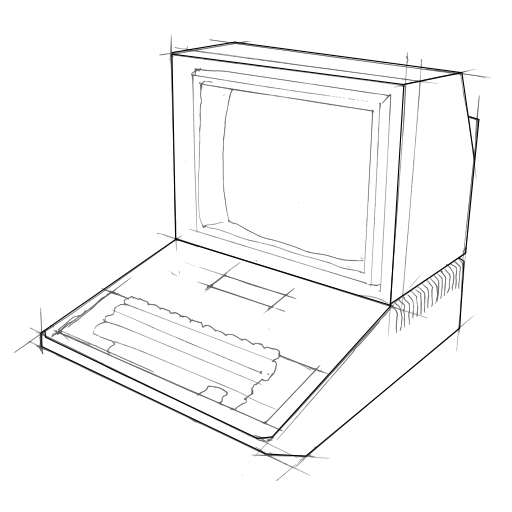
For the last few months I have been helping my friends Rodney Glick (Artist) and Moshe Y Bernstein (Rabbi) with the technical aspects of one of Rodney's artworks. The artwork, entitled "Master Of Prayer" will be showing among many other fascinating works in Rodney's exhibition. It opens tommorrow night (Thursday), 6pm at the Lawrence Wilson Art Gallery at the University of Western Australia. I'm really excited about this project. I got to use Pure Data, voice synthesis (Mbrola), and a network based pseudo-AI to help Rodney and Moshe create a really compelling and thought provoking artwork. Here's the blurb that Moshe wrote about it:

"In the Jewish tradition the full prayer service can be performed only in a quorum of ten adult males known in Hebrew as a minyan. The main part of the service, which occurs three times daily, is the Shmona Esrei, or Eighteen Benedictions. These blessings are first recited silently by the entire congregation. Afterwards, during the morning and afternoon liturgies, they are repeated aloud by the cantor, often referred to as the Ba'al Tefillah or 'Master of Prayer'. In orthodox Judaism any male, whether layman or cleric, over the age of thirteen can lead the prayers. During the repetition of the Shmona Esrei, also called the Amidah, or 'standing prayer', the congregation answers responsively to each of the benedictions recited. In this installation each computer has been individually programmed to respond to the blessings recited by the main computer, the 'Master of Prayer', leading the afternoon Mincha service. Though the installation appears to parody the human condition of prayer by rote, on a deeper level it asks a haunting question about the inherent nature of artificial intelligence. The Jewish sages require kavannah, or 'proper intent' for prayer to be truly acceptable. To the extent that computers can be programmed to 'think', might they not be programmed to this 'proper intent' as well? In a tentative answer to that question, 'Master of Prayer' can be experienced as a high-tech, Jewish version of the Tibetan prayer-wheel or Christian rosary beads."